

After spending nearly eight years working on game development projects everything from small indie titles to contributing to AAA productions I’ve learned that AI performance optimization is one of those topics that sounds straightforward on paper but gets messy fast in practice.
Here’s the thing: your game can have the most sophisticated enemy behavior systems ever conceived, but none of that matters if your frame rate tanks every time more than five NPCs appear on screen. I’ve seen brilliant AI systems get gutted during optimization passes because nobody planned for scalability from the start.
Understanding the Real Problem

Game AI isn’t just about making characters look smart. It’s about making them look smart while sharing computational resources with rendering, physics, audio, and everything else fighting for processor time.
Most games allocate somewhere between 5% and 15% of their CPU budget to AI processing. That might not sound like much, but when you’re pushing for 60 frames per second, every millisecond counts. A single frame at 60 FPS gives you roughly 16.67 milliseconds to handle everything. AI typically gets 1-2 milliseconds of that time.
I remember working on a survival game where we had sixty zombies pathfinding simultaneously. The framerate dropped to about 15 FPS on console hardware. We spent three weeks rewriting our entire navigation system before hitting acceptable performance targets.
Practical Optimization Techniques That Actually Ship
Level of Detail for Behavior
Just like graphics use LOD systems to reduce polygon counts on distant objects, AI systems can scale complexity based on relevance. An enemy three hundred meters away doesn’t need the same decision-making fidelity as one directly engaging the player.
In practical terms, this means creating tiered behavior systems. Close range enemies might run full behavior trees with dozens of decision nodes. Mid range enemies get simplified versions. Distant ones operate on basic patrol loops or remain completely dormant until the player approaches.
The key is making these transitions invisible. Players notice when an enemy suddenly “wakes up” as they approach. Smooth interpolation between behavior states maintains immersion while preserving performance.
Spatial Partitioning and Smart Culling
Not every AI needs to think every frame. Octrees, grid based partitioning, and portal systems help determine which entities require immediate attention.
During development of a city building simulation I contributed to, we had over two thousand individual NPCs with daily routines. Running full behavior simulation for all of them was computationally impossible. We implemented a frustum based priority system where only visible NPCs and those directly affecting visible areas received full updates. Everyone else ran on compressed time schedules, catching up when they became relevant again.
This approach reduced our AI overhead by roughly 70% without players noticing any difference in the simulation’s believability.
Amortization and Time-Slicing
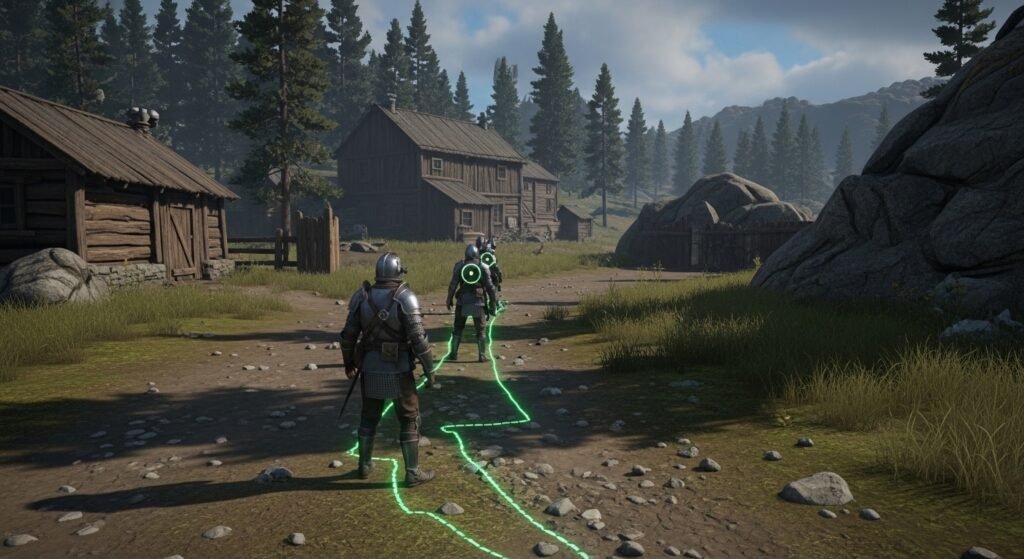
Complex calculations don’t always need instant results. Pathfinding is the classic example most paths can be computed over several frames without visible delay.
Modern pathfinding implementations typically spread A* calculations across multiple frames, processing a limited number of nodes per update cycle. This creates tiny delays in NPC responses, but those delays are usually measured in fractions of a second. Most players never perceive them.
We’ve used similar approaches for line of sight calculations, threat assessment, and resource gathering decisions. The trick is identifying which computations tolerate latency and which require immediate responses.
Data-Oriented Design Principles
Traditional object-oriented AI systems where each NPC is an independent object containing its own state and methods create cache miss nightmares. Modern optimization increasingly favors data oriented approaches where similar data types are grouped together in memory.
Rather than having a thousand NPC objects with scattered position data, you maintain a single array of positions, a single array of health values, and so on. This allows the processor to load data efficiently, dramatically improving throughput for large populations.
The Boid algorithm implementations in many games demonstrate this beautifully. Processing flocking behavior for thousands of birds becomes feasible when memory access patterns align with how CPUs actually work.
The GPU Compute Revolution
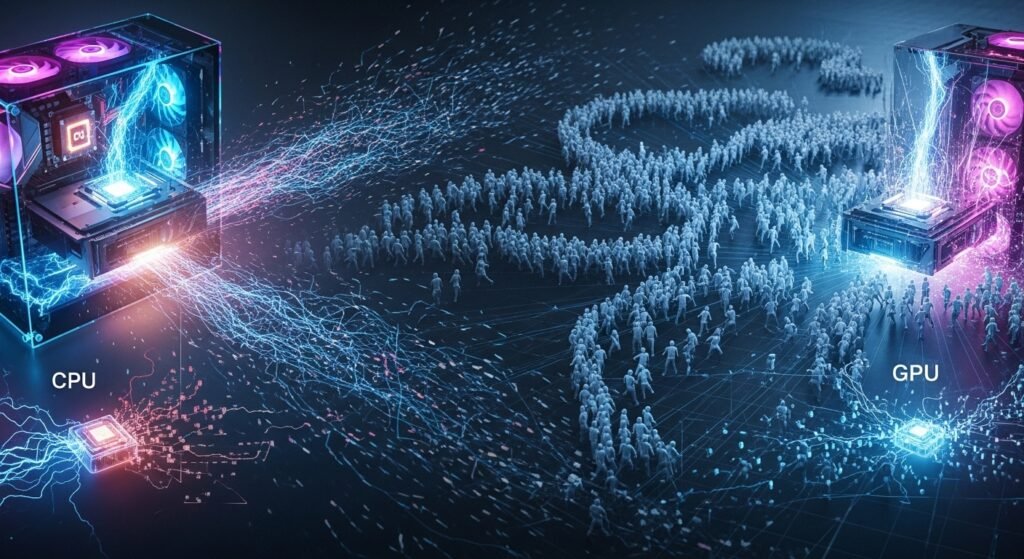
Something that’s genuinely exciting right now is offloading certain AI calculations to the GPU. Graphics cards excel at parallel processing they handle thousands of simultaneous operations that would overwhelm traditional CPU cores.
Flocking behaviors, crowd simulation, and certain pathfinding algorithms adapt well to GPU compute shaders. I’ve seen implementations handling fifty thousand simultaneous agents at interactive framerates using this approach.
That said, GPU based AI introduces synchronization complexities. Transferring data between CPU and GPU creates latency, and not all AI problems parallelize efficiently.
Common Mistakes I’ve Witnessed
The biggest optimization killer I’ve encountered is premature complexity. Developers build intricate behavior systems before establishing performance baselines. By the time performance becomes critical, the codebase is too entangled to refactor efficiently.
Another frequent issue is neglecting profiling. Assumptions about where performance problems exist are often wrong. Actual measurement reveals surprising bottlenecks I’ve seen projects where string operations in debug logging consumed more time than pathfinding calculations.
Testing exclusively on development hardware creates problems too. That high end workstation handles things beautifully. Target consumer hardware tells a different story.
Looking Forward
Machine learning integration presents both opportunities and challenges. Neural network inference can replace traditional behavior trees, potentially enabling more dynamic AI responses. However, inference carries its own performance considerations, particularly on hardware without dedicated acceleration.
The industry is also moving toward more aggressive use of job systems and multithreading. Spreading AI workloads across multiple processor cores remains essential as games become more complex while single-core performance improvements plateau.
Final Thoughts
Optimization isn’t glamorous work. It’s often tedious, always measurable, and occasionally frustrating. But the difference between a game running smoothly and one that stutters during intense moments directly impacts player experience.
Start measuring early, design for scalability, and remain willing to simplify when necessary. Sometimes the most effective optimization is recognizing when complexity isn’t serving the game.
FAQs
How much CPU time should AI consume in a typical game?
Generally 5-15% of total frame time, translating to 1-3 milliseconds at 60 FPS.
What’s the easiest AI optimization to implement?
Distance-based behavior scaling, where distant NPCs receive simplified or suspended processing.
Does GPU compute work for all AI types?
No. It suits parallel problems like crowd simulation but struggles with sequential decision making.
How often should AI entities update?
Not necessarily every frame. Many games update AI at 10-20Hz while rendering at 60Hz.
What tools help identify AI performance issues?
Built-in engine profilers, CPU sampling tools like VTune, and custom instrumentation in your AI systems.